
Sep 04, 2026 / By SW-SW / in Buying Guides Tech & Gadgets
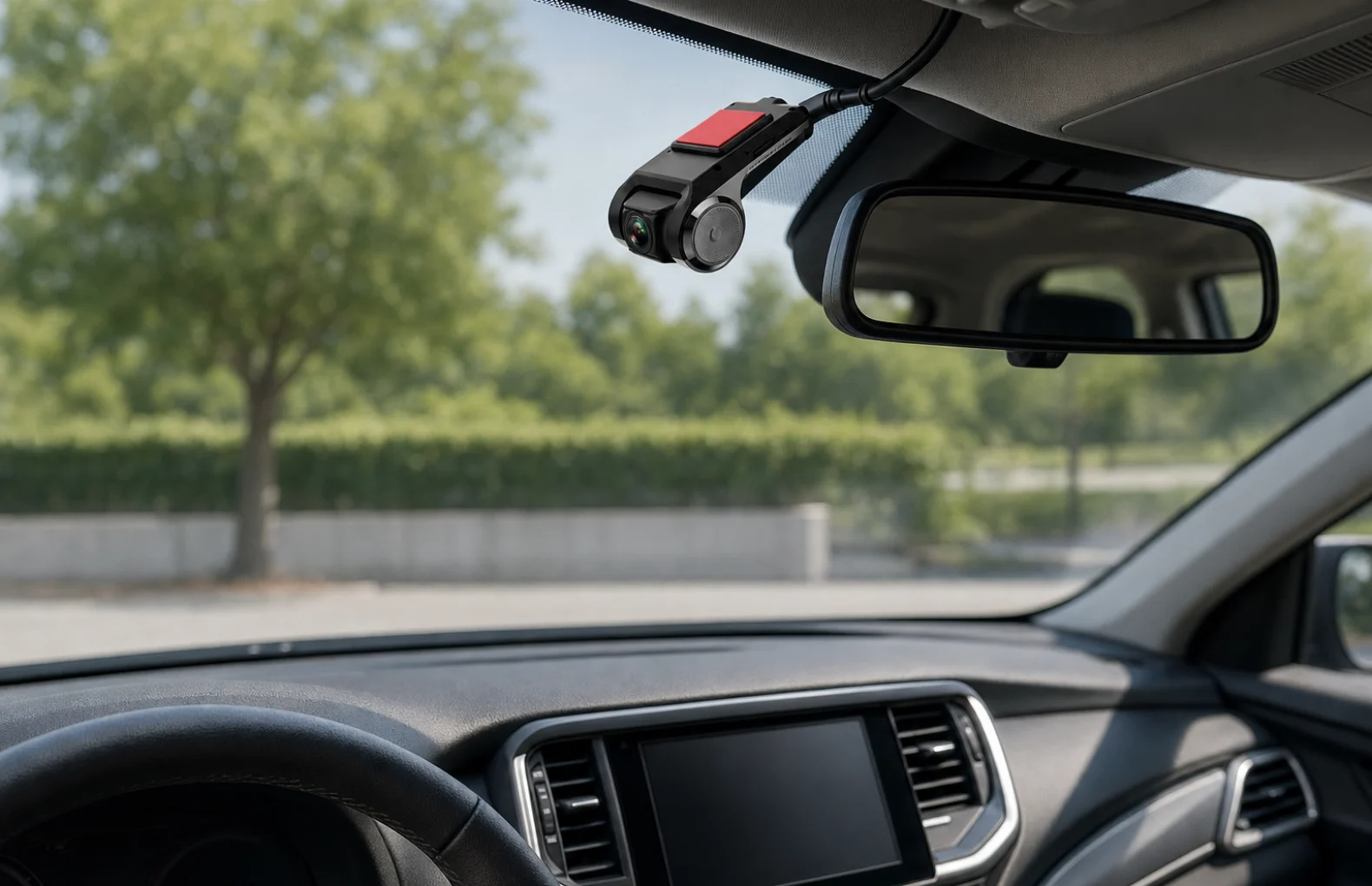
A 720P USB dash cam makes sense when the buyer already has, or plans to use, a compatible Android car radio and wants a small front-road recording accessory rather than a full standalone camera system. The SW-SW product is a compact black single-lens camera with a USB cable, low-profile body and adhesive mounting pad, so the decision should start with compatibility, placement, power, storage and local recording rules. It should not be judged as a 4K cloud camera, driver-assistance device or legal guarantee.
Start with 720P Hidden Single Lens USB Car Dash Camera for the exact product photos and current details, then compare the broader Automotive category and Dash Cams & DVR category paths. If you are deciding between camera types, nearby SW-SW context includes the USB car camera compatibility guide, the 1080P WiFi dash camera guide and the 3-channel dash camera guide. Those pages help separate Android head-unit accessories, WiFi dash cams and multi-channel kits before you choose the right in-car setup.
Check whether your Android car radio can accept a USB camera input, whether the camera position gives a clear road view without blocking the driver, whether storage and loop recording are supported by the receiving system, and whether local rules allow the recording setup you plan. If those four points are unclear, choose a simpler standalone dash cam or confirm the head-unit specifications before ordering.
The first mistake is comparing 720P against 1080P or 4K before confirming the receiving device. A USB camera does not work by magic; it needs an Android head unit, compatible input support, app or DVR handling, enough power and a practical cable route. If your car radio only supports reversing cameras, only supports a different connector, or does not store video, this small camera may not solve the job you have in mind.
Use USB car camera compatibility guide when the main question is Android head-unit compatibility. Use 1080P WiFi dash camera guide if you prefer a self-contained WiFi model with its own app-based review flow. Use 3-channel dash camera guide if you need front, cabin and rear views. The page for 720P Hidden Single Lens USB Car Dash Camera is the final source for the actual product appearance, images, price and current availability.
720P can be enough for a buyer who wants a basic road-view record, a compact camera body and a lower-profile installation. It is less suitable if the buyer expects high-resolution detail at night, verified plate capture at distance, cloud storage, GPS overlays or advanced safety alerts.
Lighting also matters. A small camera near the windshield may produce a better daytime road view than a poorly placed higher-resolution camera aimed through glare or tint. Clean glass, a stable mount and a sensible angle can matter as much as the resolution headline.
| Decision point | Good fit | Check before ordering |
|---|---|---|
| Android car radio support | You already have a compatible head unit or DVR app path | Confirm USB camera input, recording function and file review method |
| 720P resolution | Basic daytime route records and compact setup planning | Do not expect verified 4K, cloud recording or plate detail in every scene |
| Low-profile mount | Neat windshield-area placement in a parked vehicle setup | Keep it legal and away from the driver's blocked sightline |
| USB cable route | Short, tidy routing to the Android car radio area | Check cable path, power behavior and whether trim removal is needed |
It is a practical match for buyers building a clean Android car radio recording setup and who understand that the receiving system controls many of the final features. It can also fit shoppers comparing small car electronics in Automotive category or looking specifically through Dash Cams & DVR category for a single-lens accessory. The compact body is useful when the goal is a neat front-road view rather than a large screen on the windshield.
It is not the best match if you need a complete kit with its own screen, verified app ecosystem, rear camera, cabin camera, parking hardware, GPS or cloud connection. In those cases, the 1080P WiFi dash camera guide or 3-channel dash camera guide may point to a better product family before checkout.
Do not assume every Android radio accepts the camera. Do not assume USB automatically means plug-and-play recording. Do not assume 720P is enough for every night or distance condition. Do not assume the product includes legal permission to record in every place. Do not assume a low-profile design makes secret recording acceptable.
No. It should be matched with a compatible Android car radio, USB camera input and recording or review function before ordering.
It can be enough for basic daytime road-view recording, but buyers should not expect verified 4K detail, cloud storage or perfect night capture.
Mount it where the road view is clear, the driver's sightline is not blocked, airbags and sensors are avoided, and local windshield rules are respected.
No. It is a compact single-lens USB camera accessory. Choose a multi-channel kit if you need front, cabin and rear recording in one setup.
Check Android head-unit compatibility, USB routing, storage behavior, power handling, camera angle and local recording or privacy rules.
Oct 16, 2026 by SW SW
Oct 16, 2026 by SW SW
Cookie preferences


