
Sep 02, 2026 / By SW-SW / in Buying Guides Tech & Gadgets
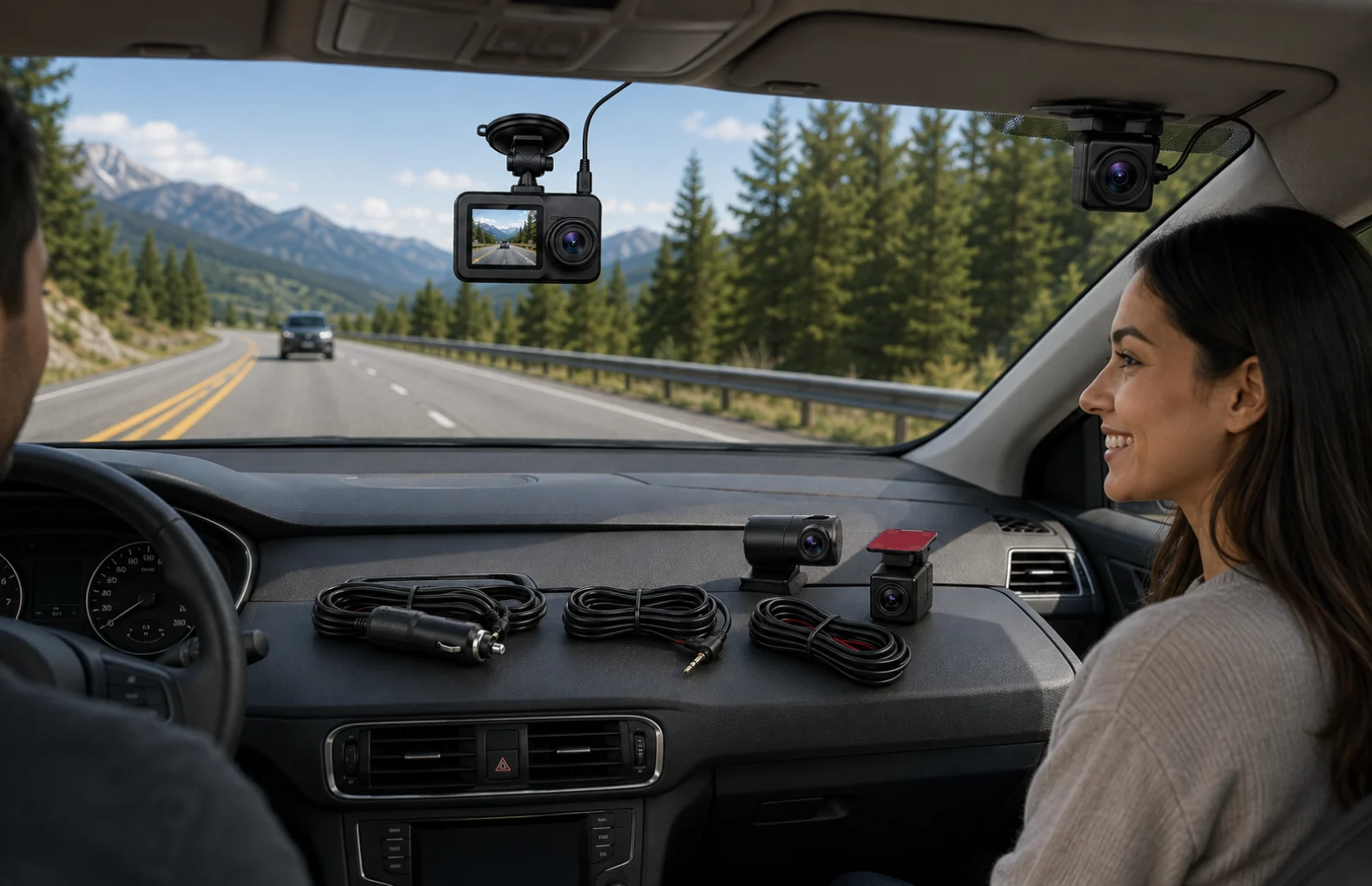
A 3-channel dash camera setup is useful when one front-facing camera is not enough for the trip you want to document. The SW-SW kit is built around a front road camera, a cabin-facing view and a rear-window camera, so the buying decision should start with placement, wiring, storage and local recording rules rather than a headline feature claim.
This guide treats the product as an installation-planning accessory in Automotive and Dash Cams & DVR. It also helps shoppers compare it with a 1080P WiFi Dash Camera guide, the USB car camera compatibility guide, a 9-inch car multimedia display guide or a windshield car phone holder guide before choosing the right in-car electronics stack.
Choose a 3-channel kit when you want front road context, cabin context and rear context in one planned setup, and when your vehicle has enough windshield or trim space for clean mounting and cabling. Check memory card needs, loop recording behavior, G-sensor sensitivity, local privacy rules and whether cabin recording is appropriate before you rely on it for daily use.
The best match is a driver who wants a broader record of ordinary journeys: commuters, rideshare drivers, delivery drivers, families with shared vehicles or anyone who often parks in busy streets. Front-only recording may be enough for simple road documentation, but a front, cabin and rear arrangement helps when the interior view or rear approach matters to the situation.
It is not the right match for a shopper who wants a hidden USB accessory, a wireless mini camera or a quick five-minute install. If your main requirement is a camera connected to an Android head unit, compare the USB car camera compatibility guide first. If your need is a simpler forward-view recorder with app transfer, the 1080P WiFi Dash Camera guide may be a cleaner fit.
Begin with the front camera. It should see the road without blocking the driver, the mirror, inspection stickers or sensors near the windshield. Next, test the cabin-facing angle while parked: it should capture the intended seats without pointing into areas that create privacy trouble or excessive glare. The rear camera usually needs a clear rear-window view and a cable route that avoids airbags, hatch movement and sharp trim edges.
Take the installation slowly. Dry-fit the suction or mount position, sit in the driver seat, check the mirror line and then test the view on the screen before hiding cable. A neat route matters because loose wire can distract the driver or become annoying during daily use.
Three video channels can fill storage faster than one channel. That makes card capacity, card speed, formatting and overwrite behavior important. Loop recording is helpful because it cycles older clips, but buyers should still understand what gets overwritten and how event-style files are protected when the G-sensor is triggered.
Do not assume every bump should lock a clip. Sensitivity that is too high can create too many protected files; sensitivity that is too low can miss the event you expected to keep. A practical setup means testing settings on normal roads, reviewing saved clips and leaving enough free space for routine recording.
The checklist is also useful when comparing articles in Buying Guides and Product Tips because it keeps the decision tied to fit and maintenance instead of unsupported promises.
| Need | Better fit | Why it matters |
|---|---|---|
| Front road only | Single front or WiFi dash camera | Simpler wiring and fewer privacy questions. |
| Front, cabin and rear context | 3-channel kit | Broader view for rideshare, family and delivery use. |
| Android head unit input | USB car camera guide | Compatibility depends on the head unit and DVR app. |
| Dashboard media upgrade | Multimedia display guide | Screen, audio and wiring decisions are different. |
A dash camera is a recording accessory, not a crash-prevention system, driving assistant, insurance guarantee or legal service. Unless the product page states a feature clearly, do not assume 4K, GPS, WiFi, ADAS, cloud storage, plate recognition or certified night performance. Check the specifications for the exact model before ordering, and ask the seller about any feature you need that is not listed.
Local rules also matter. Cabin video or audio may require consent in some places, and windshield-mounted devices can be regulated. Before daily use, review local recording and mounting rules, especially for commercial driving, rideshare, taxi or shared-work vehicles.
Review 3-Channel Car Dash Camera Kit for the selected kit, then compare related directions in Automotive, Dash Cams & DVR, Tech & Gadgets, 1080P WiFi Dash Camera guide, USB car camera compatibility guide, 9-inch car multimedia display guide and windshield car phone holder guide. The right answer is usually the one that fits the vehicle and the buyer's recording intent with the least friction.
Yes. Recording front, cabin and rear views can use card space faster, so buyers should check card capacity, speed, formatting and loop recording behavior before depending on daily footage.
No. The cabin view should be tested while parked, kept away from driver visibility problems and used with awareness of passenger consent and local privacy rules.
No. A 3-channel kit is a broader recording setup, while an Android head-unit USB camera depends on radio compatibility, input support and DVR app behavior.
Test the camera positions and recorded clips first. After the angles, power and rear camera route are confirmed, then tidy the cable path carefully around trim and moving panels.
It can record useful context, but it should not be described as guaranteed legal evidence. Keep expectations practical and follow local laws for recording and mounting.
Oct 16, 2026 by SW SW
Oct 16, 2026 by SW SW
Cookie preferences


