
Aug 30, 2026 / By SW-SW / in Buying Guides Tech & Gadgets Product Tips
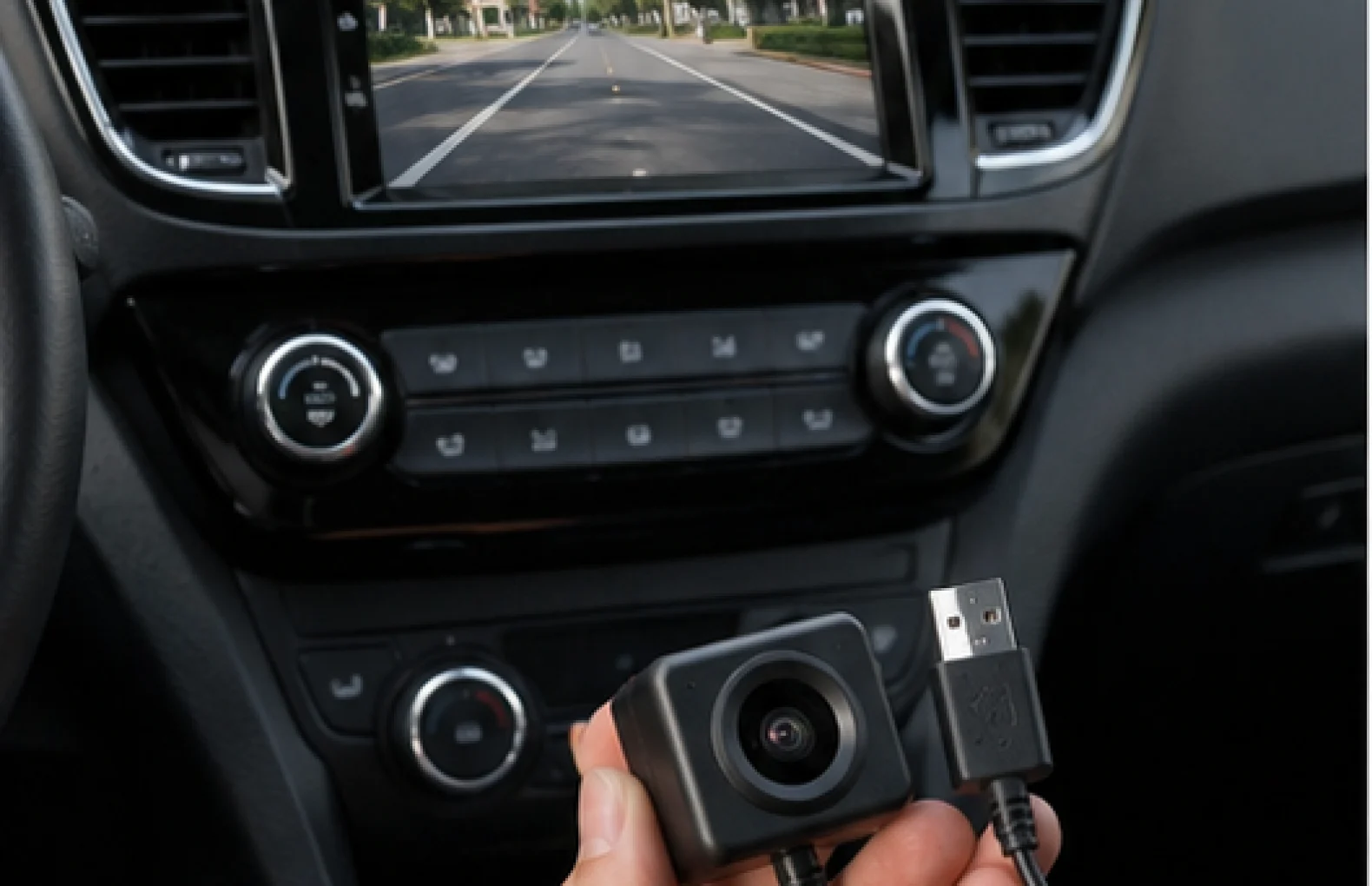
A compact USB car camera for an Android head unit is not the same purchase as a standalone dash camera. The SW-SW camera is a small no-screen accessory that depends on a compatible Android car radio, input support, app or DVR function, cable routing and mounting position. That is why this guide sits inside Automotive and Car Gadgets & Appliances as a compatibility-first checklist.
The goal is to help buyers avoid the wrong expectation. The mini USB car camera for Android car radio setups may fit a clean Android car radio recording setup, but it should not be described as universal, plug-and-play for every vehicle or a safety system. Use this page to compare it with the 1080P WiFi dash camera guide, the 9-inch car multimedia display guide and the 2MP SPI camera module guide before deciding which camera type matches the actual system.
Before buying a USB camera for an Android head unit, confirm that the head unit supports USB video input or DVR camera functions, that the app can read the camera, and that the cable can reach a sensible mounting position. Check storage, power behavior, installation path and local privacy rules before assuming it will record the way a full dash camera does. This product is best for buyers who already understand their Android car radio setup and want a compact accessory, not a complete screen-and-recorder kit.
Many buyers search for a small USB camera because their car stereo has a screen and they want a tidy recording setup. The screen alone is not enough. The head unit must understand the camera signal, allow the correct app or DVR function and store or display video in a way that matches the buyer expectation. Without that support, the camera body may be fine but the setup may not work.
This is the main difference from a full dash camera. A device from the 1080P WiFi dash camera guide usually includes its own camera, recording body and feature set. A USB camera accessory leans on the car radio. The 9-inch car multimedia display guide is relevant because head-unit capability, screen size and wiring access often decide whether the accessory is realistic.
Think through the cable path before installation. A camera near the windshield, dashboard or trim area needs a line of sight and a cable route that does not interfere with controls, airbags, vents or normal driving. Keep the setup simple and avoid adjustments while driving. If professional installation is needed, plan that cost before treating the camera as a small impulse accessory.
Also check privacy expectations. Any camera that records road or cabin-adjacent views may be affected by local rules and passenger awareness. This guide does not provide legal advice, but it is buyer-safe to remind users to follow local rules. The RGBIC car interior lights guide is a different interior accessory, yet it shows the same planning principle: in-car add-ons should not distract the driver.
If any answer is unclear, do not describe the mini USB car camera for Android car radio setups as universal. Compare a standalone option in the 1080P WiFi dash camera guide, a head-unit setup in the 9-inch car multimedia display guide or a hardware module in the 2MP SPI camera module guide. That keeps the purchase decision specific rather than keyword-driven.
| Need | Better direction | Why |
|---|---|---|
| Already compatible Android head unit | USB camera module | The radio can handle display, app and storage. |
| Need all-in-one recording | Standalone dash camera | The recorder and screen are built into the product. |
| Electronics project board | SPI camera module | Different interface and purpose from a car radio camera. |
| Unsure about app support | Pause and verify | Compatibility decides whether the accessory can function. |
Do not promise night vision, parking monitoring, driver assistance, safer driving, legal evidence or cloud functions unless the product data clearly supports those features. Android should be used as compatibility context, not as a sign of official Google or Android certification. The safest copy is clear: compact USB camera module for compatible Android car radio setups.
The camera body is only one part of the result. App behavior, wire length, head-unit power state, storage space and lens placement can all change user experience. Good SEO content should help the buyer identify these limits before purchase, because a satisfied buyer is more valuable than a broad ranking promise.
Start with the mini USB car camera for Android car radio setups, then compare the broader Automotive and Car Gadgets & Appliances categories. If you want a complete recorder, read the 1080P WiFi dash camera guide. If the car screen is the main question, use the 9-inch car multimedia display guide. For non-car camera electronics, the 2MP SPI camera module guide explains a different module path.
No. The head unit must support the camera input, app behavior and storage workflow needed for the module.
No. A USB module relies on the Android car radio, while a standalone dash camera usually contains its own recorder and controls.
Do not assume that. Check the head unit manual, app support, USB behavior and installation path first.
Choose a position with a useful view, secure routing and no interference with driving controls, airbags or vents.
Local rules can vary. Follow local laws, respect passengers and avoid operating the system while driving.
Oct 16, 2026 by SW SW
Oct 16, 2026 by SW SW
Cookie preferences


