
Aug 16, 2026 / By SW-SW / in Buying Guides Tech & Gadgets
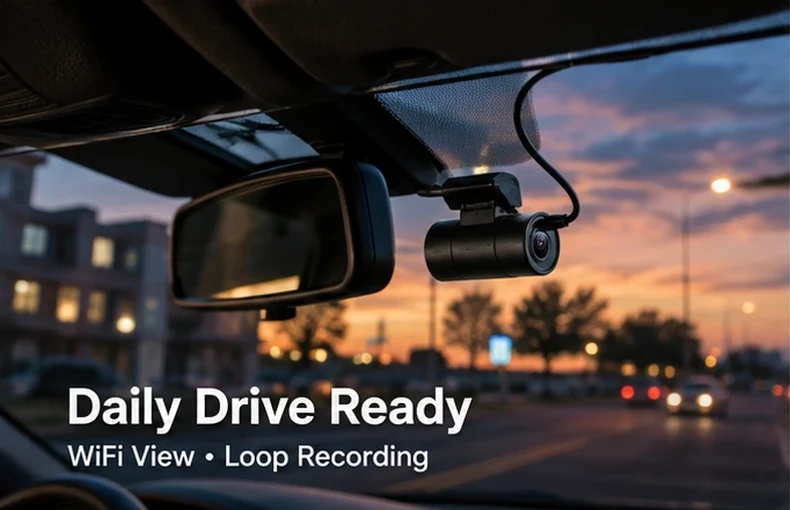
A dash camera is one of those car accessories that feels simple until you start comparing the details. Screen or no screen, WiFi or cable transfer, night vision, loop recording, G-sensor clips, memory card limits and windshield placement all affect how useful it feels after the first week. A compact 1080P WiFi dash camera can be a practical choice for everyday driving, but it works best when the buyer understands what it can and cannot do.
This guide is written for commuters, new drivers, road trip planners and anyone who wants a small front-facing recording setup without turning the windshield into a screen-heavy cockpit. It focuses on real buying checks, daily use and setup habits. A dash cam is not a legal guarantee, not a replacement for safe driving and not a promise that every plate or sign will be readable in every condition.
The strongest everyday use is a steady front view of normal driving. A 1080P camera is suitable for general road context, parking-lot movement, commute records and road trip clips when expectations are realistic. WiFi is helpful because you can review and transfer short clips from a phone instead of removing the memory card every time. Loop recording keeps the camera cycling through storage so daily use does not become a manual file-management chore.
A no-screen dash camera makes sense for drivers who want a clean dashboard and do not need a built-in display. It can be especially useful in compact cars where dashboard space is limited. It also fits shoppers browsing dash cams and DVR or wider automotive accessories who want a simple front-view device rather than a complicated multi-camera kit.
If your goal is a cooler parked car, start with the hot weather car parking checklist. If your cabin is full of loose items, the car interior organization guide can help before you add electronics. A clean windshield and dust-free dashboard also matter, so the 12V car vacuum cleaner guide is a useful supporting read.
Start with the recording style. Loop recording is important for daily driving because it automatically overwrites older unlocked files when the card fills. A G-sensor can help lock certain clips after sudden movement, but sensitivity and storage still need checking. WiFi viewing is convenient, yet it does not mean cloud storage. Most compact dash cams still rely on a local memory card and app-based file transfer.
Before mounting anything, sit in the driver seat and look through the windshield as you normally drive. The camera should have a clear forward view while staying outside the main sightline. Clean the glass first, test the angle, then route the cable gently along existing trim where possible. If the cable path crosses an airbag area, steering column, pedals or a moving lever, choose a different route or ask a qualified installer.
Night vision can improve low-light usefulness, but headlights, rain, glare and dirty glass still affect footage. A compact dash cam can record general road context at night, yet it should not be described as proof that every license plate will be readable. Parking recording also depends on power. If a camera is not connected to a suitable parking-power setup, it may only record while the vehicle outlet is powered.
Privacy rules also vary by location. Recording the public road is common in many places, but audio recording, rideshare use and workplace vehicles may have extra requirements. Keep the camera for personal driving records and avoid using it in ways that invade privacy.
A compact dash camera is worth considering because it can quietly record daily driving context without taking over the dashboard. For commuters and road trip drivers, the mix of 1080P recording, WiFi review and loop recording keeps the workflow simple. The best result comes from realistic expectations: install it carefully, check clips regularly, keep the windshield clean and treat the camera as one part of a safer, better-organized car routine. For broader interior upgrades, the DIY trim wrap guide gives a different kind of car setup checklist.
For general road context, commuting and basic event clips, 1080P can be enough. It is not a guarantee that every plate or small detail will be clear in poor light, rain or glare.
Not always. A no-screen dash camera can keep the windshield area cleaner, but you should be comfortable using WiFi and a phone app to frame, review and save clips.
Loop recording saves footage in short segments and overwrites older unlocked files when storage fills. Locked event files may stay saved, so check storage from time to time.
Near the rear-view mirror is often practical because it gives a forward view without dominating the windshield. The exact spot must not block driver visibility or safety equipment.
Only if the camera and power setup support it. Some car outlets turn off with the engine, so parked recording may require a compatible parking-power arrangement.
Oct 16, 2026 by SW SW
Oct 16, 2026 by SW SW
Cookie preferences


