
Aug 26, 2026 / By SW-SW / in Buying Guides Tech & Gadgets
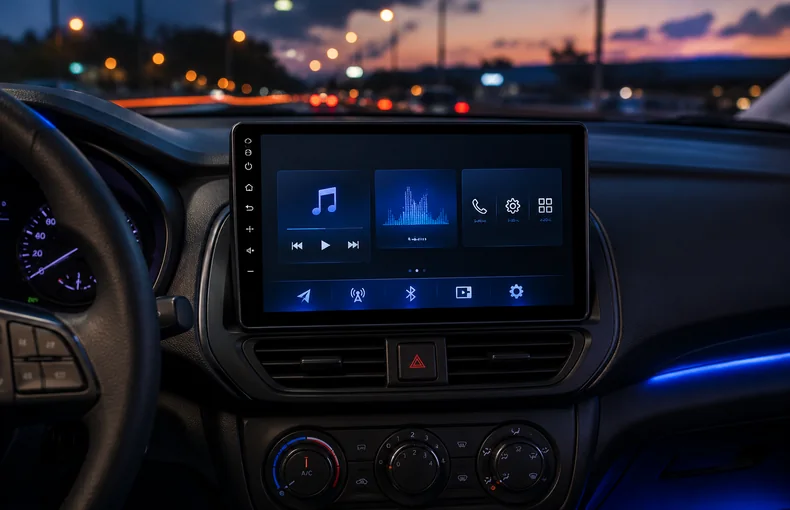
A dashboard screen upgrade can make an older cabin feel easier to use, but the buying decision should start with fit and wiring, not wishful feature claims. The 9-inch car multimedia display is positioned as an aftermarket media screen for local media playback, radio-style controls, DSP audio adjustment and a cleaner dashboard interface. This guide keeps the scope practical. It does not rely on unsupported platform authorization, certification, legal or universal fit claims.
The first question is not whether a 9-inch screen looks good. It is whether your dashboard opening, trim shape, mounting depth and surrounding controls can accept that format. In automotive and car gadgets and appliances, many upgrades fail because the buyer checks screen size but forgets fascia panels, brackets, steering-wheel controls, vents, hazard buttons or the depth behind the unit.
Measure the visible area and the space behind it before ordering. Compare your cabin with the product photos, then plan extra parts if your vehicle needs a frame, harness adapter or trim kit. A display can look clean in a product image and still need careful installation planning in a real car. If you only need route reference without modifying the dashboard, the 7-inch portable GPS navigator guide covers a simpler separate-device route.
The product angle includes USB media and local file playback, so think about where your cable path will sit after installation. A tidy upgrade leaves the USB access reachable without a wire dangling across controls. Check power, speaker output, reverse-input needs and any existing antenna or camera leads before work begins. If you are not comfortable identifying wiring, use an installer who can verify the car rather than guessing from color alone.
For road-trip power planning, the 200W car power inverter guide is a separate reference because it explains how cabin power habits affect laptops and small devices. A multimedia display has a different job: it should integrate with the dashboard, keep media controls visible and reduce cable mess around the center area.
DSP audio adjustment can be useful if you want more control over the sound profile, but it should be approached as tuning, not a guaranteed audio transformation. Start with moderate settings, test familiar music at normal volume and avoid turning every control to an extreme. The best result is usually a balanced cabin sound that does not become tiring during long drives.
A good daily interface should be readable at a glance and not require attention away from the road. Set media sources, folders and common controls while parked. The same distraction-aware mindset appears in the windshield car phone holder guide: any cabin screen or mount should support a cleaner layout, not create a new reason to look away from driving.
This screen is different from a dash camera, a portable navigator or a simple phone mount. A dash camera records driving context; the 1080P WiFi dash camera guide explains that lane. A portable navigator sits outside the dashboard. A phone holder stabilizes a device you already own. A 9-inch multimedia display is closer to a dashboard interface project, so installation planning matters more.
That difference also makes expectations important. Do not buy it because of unsupported promises. Buy it if the cabin size, wiring plan, media needs and audio controls match what you can realistically install and maintain.
No. Screen size alone is not enough. Dashboard shape, mounting depth, fascia, brackets, wiring and nearby controls all need to be checked before buying.
Only if you are comfortable with trim removal, wiring checks and fitment planning. If not, a qualified installer is safer than guessing from wire colors or photos.
DSP audio gives adjustment options for the cabin sound profile. It should be tuned carefully at normal volume instead of treated as an automatic sound-quality guarantee.
Keep the USB point reachable while parked and route cables away from steering, pedals, gear controls and HVAC controls. A tidy cable path matters as much as playback.
No. A portable navigator is a separate device for route reference. A multimedia display is a dashboard interface upgrade that requires more fit and wiring planning.
Oct 16, 2026 by SW SW
Oct 16, 2026 by SW SW
Cookie preferences


