
Sep 11, 2026 / By SW-SW / in Buying Guides Product Tips Tech & Gadgets
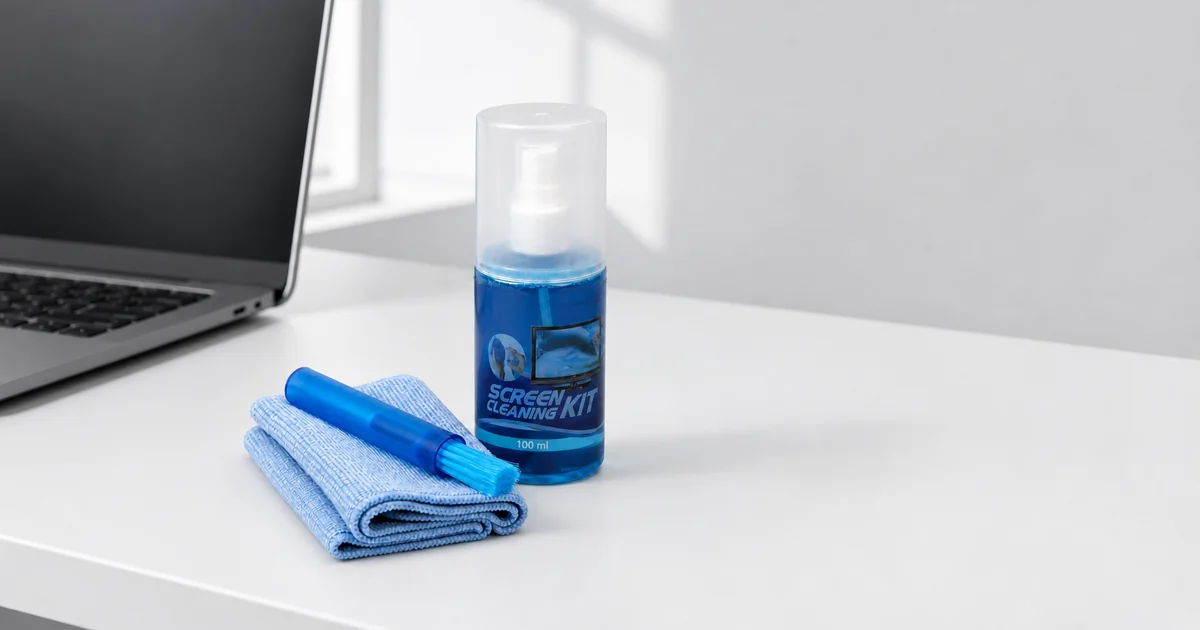
A 100 ml screen cleaning kit with cloth and brush is useful when you want the cleaning bottle, microfiber cloth and dust brush kept together for daily device care. The product covered here includes a translucent blue 100 ml spray bottle, a blue microfiber cloth and a small blue retractable brush. Use this article as a practical buying and setup guide, not as a promise of disinfection, universal device safety or a certified repair method.
This kit is built around three visible parts: a 100 ml cleaning solution bottle, a folded microfiber cloth and a retractable brush. The bottle supplies cleaner for compatible screen-care routines, the brush helps move loose surface dust before wiping, and the cloth gives you a soft wiping surface.
Devices shown in photos are context props, not included accessories. Before using any liquid cleaner, check the device maker's care advice and avoid spraying liquid directly onto a screen, keyboard, speaker opening or port.
Screen-care routines depend on the device. Phones, tablets, laptops and monitors can have different coatings and openings. Power down the device and follow its manufacturer’s cleaning instructions before adding moisture.
Use the brush for loose surface dust before the cloth touches the screen. Fine dust can act like grit if it is rubbed across a display, so a light brushing pass helps reduce that risk. The blue retractable form also makes storage easier because the bristles are not exposed inside a drawer or desk cup.
Use the microfiber cloth with light pressure and a clean folded surface. Turn the cloth as it collects marks instead of dragging the same damp or dusty area across the screen. If liquid is appropriate, add a small amount to the cloth rather than spraying the device.
The 100 ml bottle is a compact option for a desk or drawer, not a large refill bottle. Keep it together with the cloth and brush so the three parts are easy to find.
Treat modern screens, camera glass, keyboards, remote controls and similar electronics as sensitive surfaces. The practical rule is to remove dust first, use only a lightly damp cloth when liquid is appropriate, and avoid pressure around edges and coatings.
Results depend on the screen material, cloth condition, pressure and liquid used. This kit does not establish universal compatibility with screen coatings.
A simple storage habit makes the kit more useful. Keep the bottle upright, fold the cloth after it dries, and retract the brush before placing it in a drawer. The blue matching pieces are easy to recognize, so the user can keep the three parts together near a desk, TV area or work bag.
The microfiber cloth should be kept clean because it is the part that touches the surface most often. If it collects grit or residue, wash and dry it according to fabric-care common sense before the next use. A dirty cloth can work against the purpose of the kit.
This set contains a 100 ml bottle, cloth and brush. Compare the 32-in-1 kit if you need a wider selection of tools for keyboards or earbuds; check the included parts before choosing.
Compare these details with what you need before choosing.
| Check | What to compare | Consider another option if |
|---|---|---|
| Parts | You need a bottle, cloth and brush | You need many specialist tips and tools |
| Bottle size | A 100 ml bottle is enough | You need a large refill |
| Dust removal | You want a retractable brush for loose dust | You need compressed air |
| Wiping | You want a microfiber cloth for gentle wiping | You need disposable wipes |
| Cleaning purpose | You need routine care compatible with device instructions | You require verified disinfection or certification |
Compare the product details and related options below.
No. The confirmed product is the cleaning kit: one 100 ml bottle, one microfiber cloth and one retractable brush.
No. If liquid is appropriate, apply a small amount to the cloth and keep moisture away from ports and openings.
The brush is for loose surface dust before wiping, so grit is less likely to be rubbed across a screen.
The product evidence supports routine screen cleaning only, not antibacterial, disinfecting or medical claims.
Keep the bottle upright, let the cloth dry before folding it, and retract the brush before storage.
Oct 16, 2026 by SW SW
Oct 16, 2026 by SW SW
Cookie preferences


