
Aug 17, 2026 / By SW-SW / in Buying Guides Tech & Gadgets
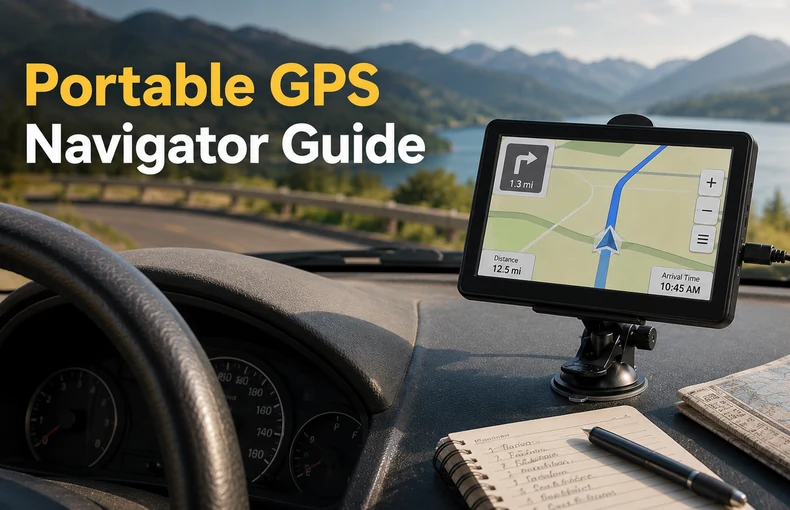
A portable GPS navigator for car use is most useful when a vehicle does not have a clear built-in navigation screen, when the driver wants a dedicated route display, or when a phone needs to stay free for calls, music and emergency backup. It is not magic, and it should never replace road signs or safe driving judgment, but the right screen can make a long trip feel more organized.
This guide focuses on realistic buying decisions around a 7-inch portable GPS navigator. It also connects the navigator with practical car accessories such as a windshield car phone holder, a 200W car power inverter, and broader travel and road trip gadgets for drivers building a simple travel setup.
A dedicated GPS navigator works best as a route reference screen for older cars, rented cars, work vehicles and road trips where the driver wants a stable dashboard view. The large 7-inch display is easier to glance at than a small phone screen, especially when the device is mounted at a safe viewing angle.
It is especially helpful for drivers who prefer a separate device instead of draining phone battery. Pair it with organized car gadgets and appliances and keep the dashboard simple rather than filling the windshield with several competing screens.
Start with screen size, mounting method, power cable placement, menu clarity and the type of route display shown. A 7-inch screen can be comfortable, but only if it does not block the road view. The mount should hold firmly without forcing the driver to reach across the cabin.
Power matters as much as the screen. If you also run cameras, lights or other travel gear, review the car power inverter guide and choose power accessories carefully. Too many devices on one socket can create clutter and distract from driving.
Test the navigator while parked. Place the screen low enough that it does not interrupt the windshield view, but high enough that the route is easy to check with a quick glance. A separate windshield car phone holder can keep the phone in another location so both devices do not compete for the same space.
Before a longer drive, enter the destination, preview the route and confirm that the device shows the expected direction. If you use a dash camera, the dash camera guide is useful for planning a clean layout where cables and screens do not overlap.
A portable GPS navigator is not the same as a constantly connected smartphone app. Depending on the model and map data, it may not show live traffic, temporary closures, updated construction, fuel prices or every local restriction. For truck driving, treat it as a route reference unless the seller clearly documents truck-specific data.
Use road signs, local rules and driver judgment first. A navigator can reduce guessing, but it cannot promise the fastest route or replace official traffic information. For a broader in-car setup, compare it with other automotive products rather than buying only for one advertised feature.
The best setup is boring in a good way: navigator mounted, cable secured, phone backup ready, and only the needed accessories plugged in. The 7-inch portable GPS navigator can be the main route screen, while a 200W car power inverter supports small travel electronics when used within its limits.
If the car also needs cleaning or cabin organization before a long drive, the car vacuum cleaner guide can help with interior prep. Good navigation is easier when the dashboard and center console are not crowded.
A portable navigator is worth considering when it solves a real driving problem: small phone screen, older dashboard, repeated routes, or messy travel planning. It is not the only way to navigate, but it gives one clear job to one dedicated screen.
For shoppers comparing travel and road trip gadgets, the strongest reason to choose a car GPS is focus. It helps keep navigation separate from messages and entertainment, which can make daily driving and travel prep feel calmer.
Yes, it is useful when an older car has no built-in navigation display or when the driver wants a larger dedicated route screen. It still needs safe placement and should not block the road view.
It can handle many route reference needs, but a phone may still be better for live traffic, local searches and quick updates. Many drivers use both, with the GPS as the main screen and the phone as backup.
Mount it while parked, usually low on the windshield or dashboard where it is easy to glance at without covering the road, mirrors, controls or airbag areas.
Many dedicated units are designed for offline route display, but exact map coverage and update options depend on the model. Check the product details before buying.
A stable mount, tidy cable routing, a working car power socket and a backup phone holder are the most practical additions. Extra power accessories should match the vehicle and device limits.
Oct 16, 2026 by SW SW
Oct 16, 2026 by SW SW
Cookie preferences


