
Jul 27, 2026 / By SW-SW / in Buying Guides Product Tips Tech & Gadgets
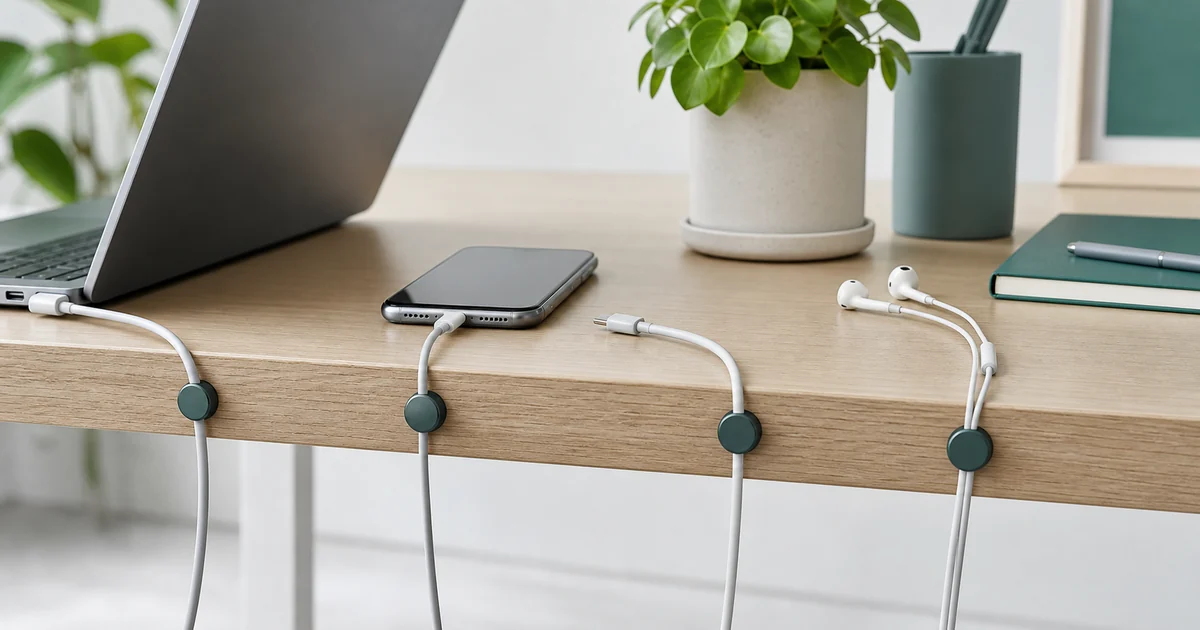
A tidy charging setup is not only about how a desk looks. Loose cables slide behind the table, tangle with each other, collect dust and make everyday charging feel more annoying than it should. A simple desk cable management routine keeps the cords you use most often within reach while moving extra length away from the main work surface.
Desk cable management works best when the product matches the cable behavior. Thin charging cords need a different solution from thick power bricks, monitor leads or cables that must move every day. Start by separating daily chargers, fixed display cables and spare cords. Then decide whether the goal is routing, bundling or storage. Adhesive clips are useful at desk edges, hook-and-loop ties work for reusable bundles, and an under-desk tray is better for power strips or adapters that should stay off the floor. Avoid tight bends near connectors and keep heat-generating adapters uncovered.
| Cable problem | Better organizer | Setup check |
|---|---|---|
| Phone cable falls behind desk | Small edge clip or magnetic guide | Leave enough slack for lifting the phone. |
| Several loose USB cords | Reusable tie or labeled loop | Bundle by device instead of making one hard knot. |
| Power strip on floor | Under-desk tray or mounted basket | Allow airflow around adapters and plugs. |
| Travel or spare cables | Small pouch or drawer group | Do not mix daily chargers with rarely used cords. |
A cleaner desk is not just about hiding wires. Good routing makes daily charging easier, prevents cables from rubbing sharp edges and keeps adapters visible enough to inspect. Recheck the setup after a week, because the best cable path is the one that still works during normal work.
The best setup is usually the simplest one. You do not need a complicated installation or a full desk remodel. A few low-profile cable clips, a clear path for each cord and a weekly reset can make a laptop, phone, tablet and earbuds setup feel much cleaner.
Identify the cables that should always stay ready: laptop charger, phone cable, tablet cable, smartwatch cable or USB-C charging lead. These cords deserve the easiest positions because you touch them often. Route them to the desk edge or a side zone where they are easy to grab without crossing the keyboard or mouse area.
Headphone cords, camera cables, power banks and spare adapters do not need the same priority. Store them in a small pouch, drawer divider or side container so they are available without becoming visual clutter.
If you also need a place for the headphones themselves, the clamp-on headphone holder guide explains how to check desk-edge thickness, underside clearance and folding space. Confirm the clamp range and load rating before assuming it suits your desk and headphones.
Keep heavy adapters off the working surface when possible. If a power strip sits under the desk, leave enough slack for movement but avoid long loops that can catch your feet or chair.
Desk-edge cable clips are ideal for cables that fall behind the table. Place the clip close enough to the charging area that the cable end rests within easy reach, but not so close that it blocks typing, writing or mouse movement.
A small clip can keep phone chargers and lamp cords from dropping behind furniture. This is especially useful in guest rooms, dorms and small apartments where outlets are awkwardly placed.
If you work from different places, choose compact clips that are easy to remove or reposition. Keep one or two in a laptop pouch for hotel desks, coworking spaces and temporary setups.
Do not pinch charging cables too tightly, especially near the connector. Tight bends can shorten cable life and make charging unreliable. Keep cable clips away from hot adapters, liquid areas and places where a cable could be pulled sharply. Once a week, check for dust, loose adhesive and cables that have migrated back into the work zone.
Return each cable head to its clip after charging. Coil spare cables before they go into a drawer. Label similar cables if several people use the same desk. If a cable has not been used for a month, move it out of the primary workspace. Cable management works best when the system is easy enough to follow without thinking.
Most compact cable clips work with common charging cables, but very thick braided cables may need a wider slot. Check the cable diameter before choosing a clip.
The best spot is usually the front or side edge near your charging zone. The cable end should be reachable without crossing your keyboard, mouse or writing area.
They are usually safe on smooth, sealed surfaces, but delicate finishes can react differently. Test a hidden area first and remove slowly if you need to reposition.
Two to four clips are enough for most setups: one for a laptop cable, one for a phone cable and one or two for accessories.
They pair well with desk organizers, charging adapters, travel tech pouches, power strip holders and compact workspace accessories.
Oct 16, 2026 by SW SW
Oct 16, 2026 by SW SW
Cookie preferences


