
Aug 29, 2026 / By SW-SW / in Buying Guides Home & Lifestyle
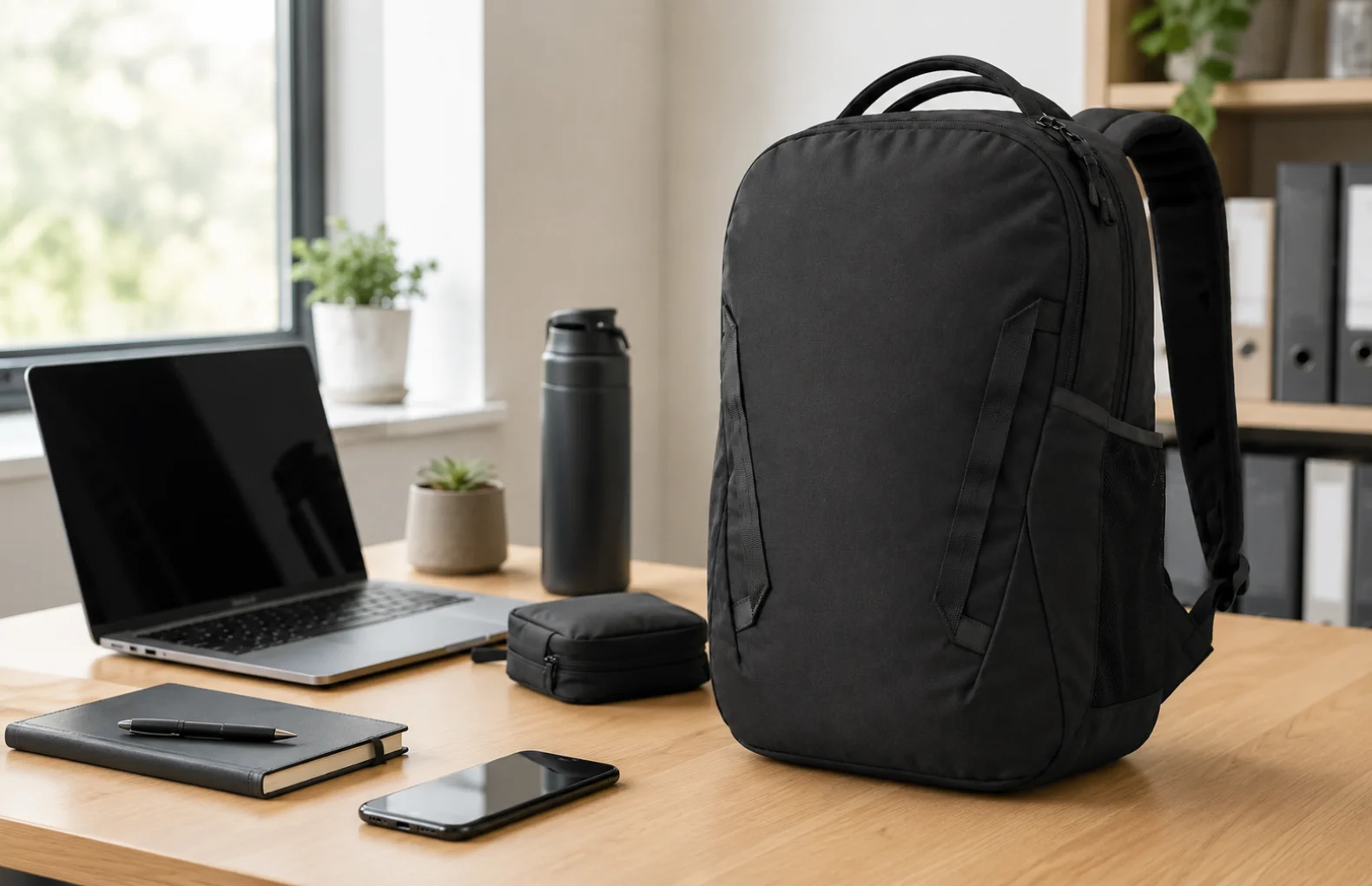
A women's 18-inch laptop tote backpack is useful when it solves two problems at once: it has to protect daily work gear and still feel appropriate on a commute, campus walk or office day. The women's 18-inch laptop tote backpack on SW-SW has a dark gray soft-fabric body, two top handles, backpack straps, zippered organization, a large front panel and side pocket details. Treat the 18-inch label as a starting point, then check your own laptop dimensions and carrying habits before buying.
This page is for buyers comparing work-friendly bags in bags and luggage, tote bags and everyday backpacks. If you also want smaller daily-carry ideas, the everyday carry essentials guide is a useful companion, but the bag decision starts with fit, weight and access.
The phrase 18-inch laptop bag sounds precise, but laptops vary by width, depth, corner shape and protective case thickness. Measure the device from edge to edge, then add the sleeve or case you actually use. A soft backpack can flex, yet that does not guarantee a smooth zip if the computer sits diagonally or pushes into the corners. If your laptop is close to the maximum size, check whether you prefer a bare laptop fit, a slim sleeve fit or extra room for documents.
Also look at the rest of the workday load. A laptop, notebook, charger, mouse, wallet, phone, keys and water bottle feel different from a laptop alone. For bottle planning, the insulated water bottle guide can help you choose a side item that does not dominate the bag. The goal is a zipped bag that keeps its shape instead of bulging.
The reason to consider a tote backpack is the carry mix. Top handles make it easy to lift the bag from a car seat, desk, train floor or office chair. Backpack straps spread weight better during longer walks. Before ordering, think through your normal route: parking lot to elevator, subway stairs, coworking space, campus buildings, security checks or short errands after work. The right bag should change modes without making you repack.
A two-handle design can look neater than a hiking backpack, but it should still be treated as a practical fabric bag. Do not assume leather structure, anti-theft construction or all-weather waterproofing unless those details are documented. If your commute includes heavy rain, long cycling or rough travel, a different specialized bag may be safer.
Organization only helps when the pockets match the items you reach for most often. Use the large interior for laptop and flat documents, the front panel for a charger pouch or notebook, and smaller spaces for keys, card case and earbuds. A side pocket can be useful for a slim bottle or umbrella, but bulky round items can change how the bag sits against your back.
Look at zipper direction too. A work commute bag should open wide enough for a laptop without scraping the corners, but not so wide that loose items spill out at a cafe table or train seat. If you carry cosmetics, stationery or cables, a small organizer from the clear drawer organizer guide can inspire the same habit inside the bag: group small items before they sink to the bottom.
This backpack makes the most sense for office days, class days, coworking visits and short commutes where you want one bag that can look calm and still hold practical gear. The dark gray fabric style is easy to pair with casual workwear, a simple coat or travel layers. It can also work as a personal everyday bag when your load is moderate and organized.
Choose a different solution if you carry camera gear, heavy tools, multiple laptops, gym shoes, food containers or fragile equipment every day. Packing and moving articles like the moving day packing guide remind us that containers have limits. A commute backpack should stay comfortable rather than becoming a portable storage closet.
| Need | What to check | Better choice if |
|---|---|---|
| Laptop fit | Measure laptop width, depth and sleeve thickness. | Your device touches corners or prevents a smooth zip. |
| Carry comfort | Test whether handles and straps match your route. | You walk long distances with a heavy load every day. |
| Organization | Assign charger, notebook, keys and bottle before buying. | You need padded compartments for many devices. |
| Office look | Check whether the dark fabric and soft shape fit your outfits. | You need a structured leather tote or formal briefcase. |
| Weather use | Confirm fabric care and realistic exposure limits. | You need waterproof commuting or outdoor travel protection. |
No. Measure your laptop width, depth, corner shape and sleeve thickness first because 18-inch labels do not guarantee every large device will zip comfortably.
It is better when you want top handles for quick lifting and backpack straps for stairs, walks or hands-free commuting with a moderate work load.
Use front storage for flatter everyday items such as a charger pouch, notebook, card case, earbuds, pens or keys instead of bulky heavy objects.
Do not assume waterproofing or hard-shell protection. For heavy rain, cycling, airports or fragile gear, verify materials or choose a specialized bag.
Build a normal workday load on a table first, remove rarely used items, then choose a bag that can close cleanly without bulging or pulling.
Oct 16, 2026 by SW SW
Oct 16, 2026 by SW SW
Cookie preferences


